Cold Calling
Cold Calling Introduction
Welcome to learning about Cold Calling this Reference Document should teach you everything you need to get up and running to start cold calling and be successful.
Required Items
- Computer with Fast Internet Speed
- Good Computer Headset (Input/Output)
- Registered Account through CloudTalk (Thrasker will Invite You)
Getting Started
- Download Cloudtalk Here
- Login to your account using SSO or Email/Password
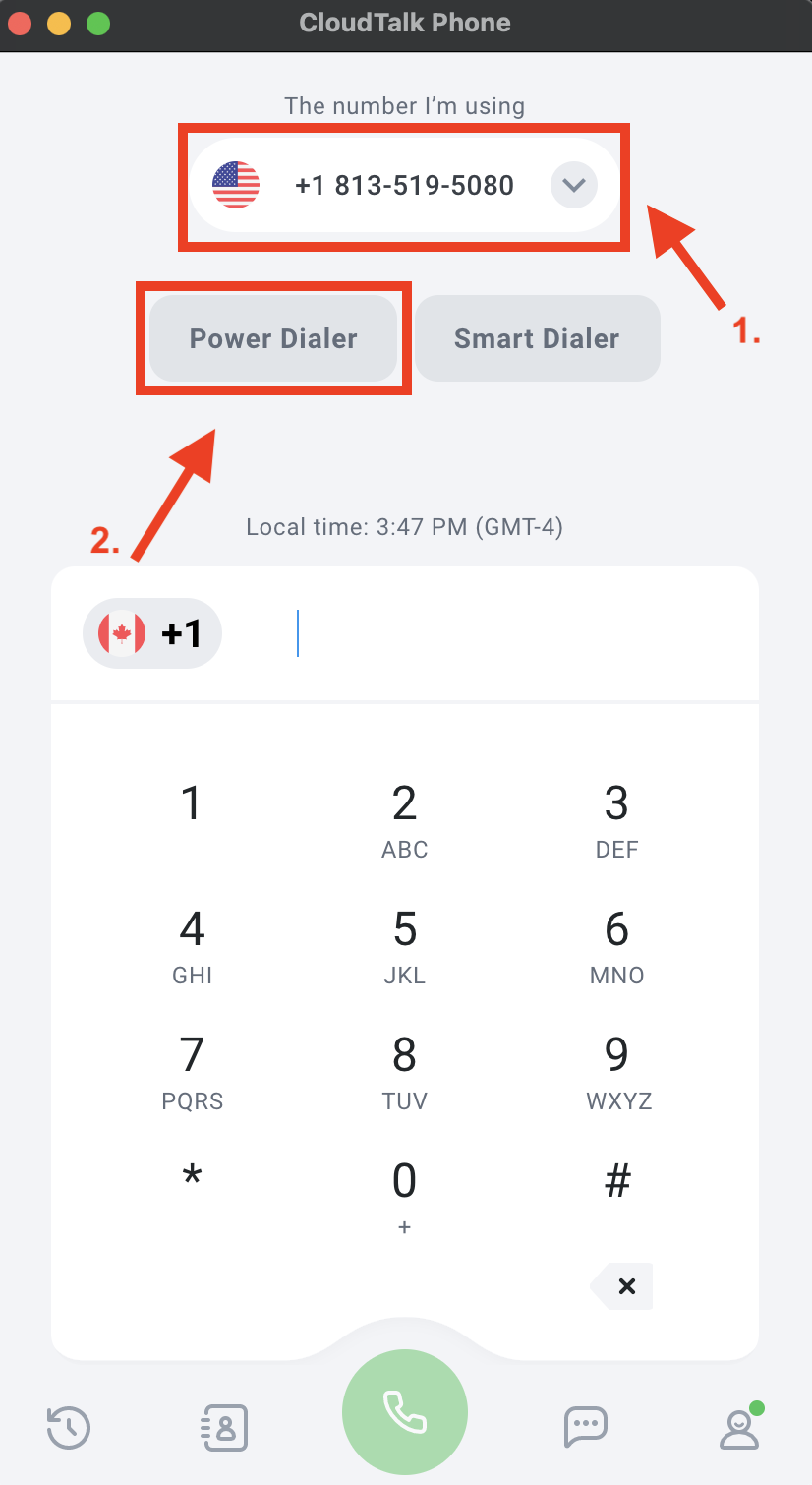
- Choose a local number for the area where you are calling.
- Click Power Dialer
Image of Steps 3 and 4
- You are now seeing a list of all active campaigns. Choose the campaign that your Sales Leader has chosen for you for the day.
- Once you click one it will immediately start dialing, so be prepared!
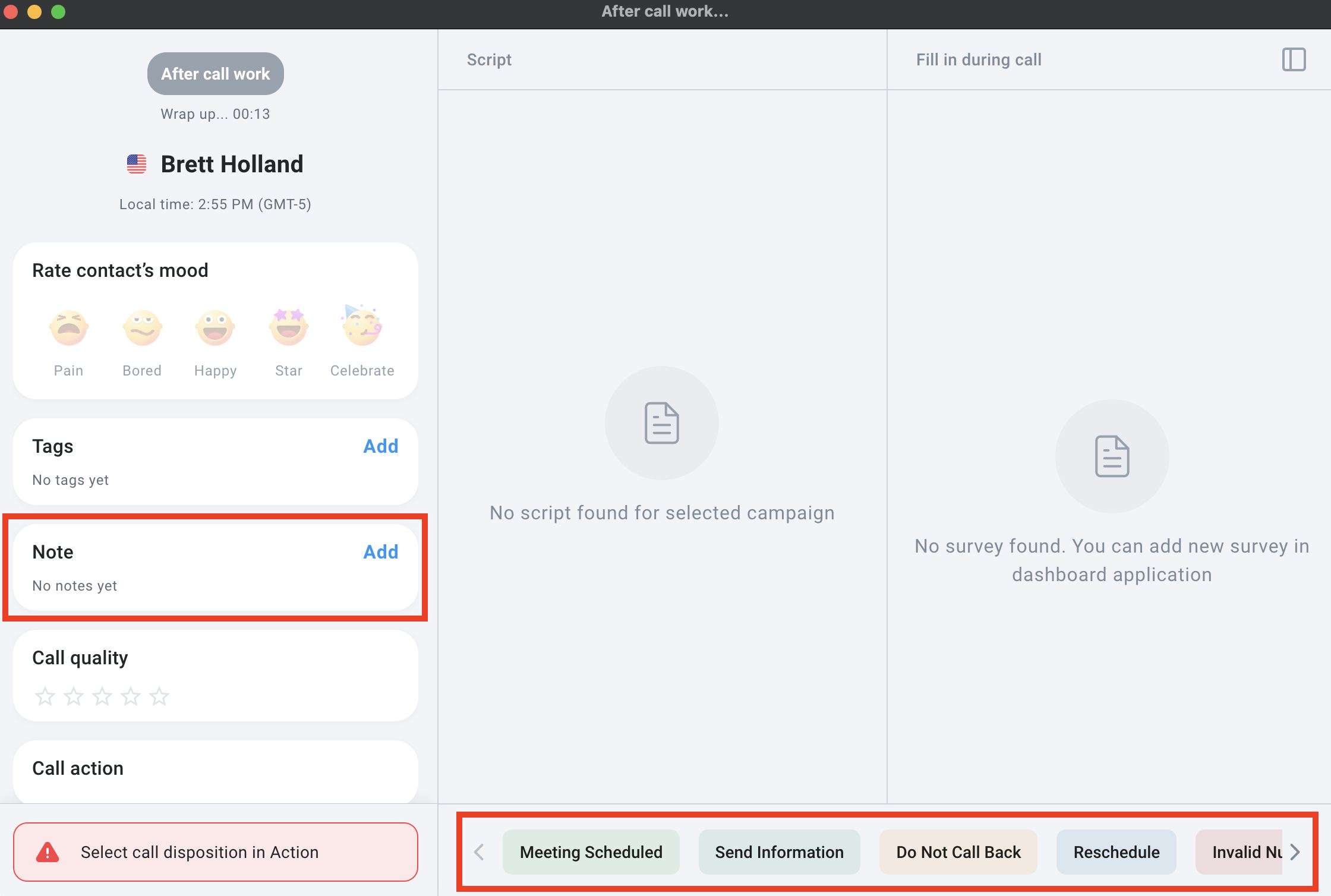
- At the end of the phone call once you click end you are going to see the screen below. (If you don't see it this way you might see the mobile version)
Image of the Post Scren Call